Features

Everything Indexly does, and why it's there

No filler features. Each one exists because a real indexing run on a real site needs it.

1. Loading URLs

Three ways to build your URL list

🗺

Sitemap URL

Paste a sitemap link and Indexly fetches and parses it directly — including sitemap-index files that point to several child sitemaps.

📄

Excel / CSV upload

Already have a specific list — a migration batch, a set of new posts, a client's priority pages? Upload the spreadsheet and only those URLs get processed.

🕸

Auto-Crawl Domain

No sitemap, or one that hasn't been updated in months? Indexly crawls the property's own pages directly from the homepage, following internal links, and skips anything off-site.

2. Checking status

Live checks, straight from the real inspection box

Indexly doesn't call an API and guess. It types each URL into the same "Inspect any URL" box you'd use yourself, waits for the real result to load, and reads the actual status Google shows — indexed, not indexed, or indexed with issues.

  • Reads the live result, not a cached snapshot
  • Waits out Google's own loading states before trusting any result
  • Never touches Search Console for a URL it already knows is indexed
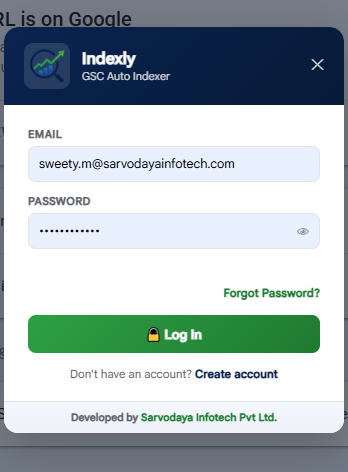
Signing in to Indexly inside Google Search Console, with a live 'URL is on Google' result visible behind it
3. Understanding "not indexed"

A reason, every time — not just a red X

"Not indexed" on its own doesn't tell you what to fix. Indexly reads the specific reason Search Console gives and records it next to the URL.

Server error (5xx) Not found (404) Redirect error Blocked by robots.txt Excluded by 'noindex' tag Duplicate — no canonical Crawled — currently not indexed Discovered — currently not indexed Soft 404

Not sure what to do next? See what "Crawled — currently not indexed" means and how to bulk request indexing.

4. Staying in control

Pacing, limits, and a run you can stop anytime

⏱

Randomized delay

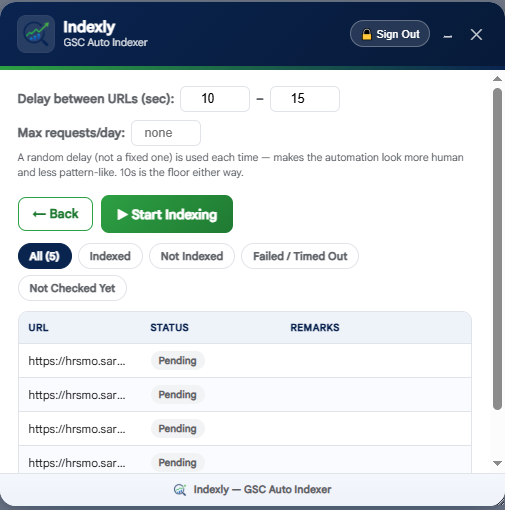
Set a delay range between URLs (e.g. 10–15 seconds) — a new random gap each time, not a fixed interval.

🧮

Optional daily cap

Cap how many indexing requests get sent per day. Once it's reached, Indexly keeps checking status but stops requesting until tomorrow.

⏸

Pause, resume, stop

Every run can be paused mid-way, resumed later, or stopped outright — the report reflects exactly where it ended and why.

↻

Auto-retry on failures

A URL that fails to check for a transient reason gets retried automatically before being marked as failed.

▭

Minimizable panel

Shrink the panel down to a status bar while a run is in progress, and keep working the rest of the tab.

◐

Dark mode aware

Matches whichever mode Search Console itself is already in.

Indexly's results table showing each URL's status after a run
5. Reporting

A report you can actually hand to someone

Every run ends with a downloadable Excel file — URL, status, and remarks for each one — plus a saved summary of how the run ended: completed, stopped, or paused by a limit.

See it running on your own property

Add Indexly to Chrome and open Search Console to try it.

Indexly by Sarvodaya Infotech Pvt. Ltd. · Guides · Chrome Web Store · Privacy Policy · Terms & Conditions